
Before you start
Have MarginNote, MindNote and a location to save your backup ready. Sign in to MindNote before importing. Keep the original MarginNote library and backup until you have checked the imported books and maps. If your library is large, start with one representative book, then migrate the rest.
Open Documents and select all
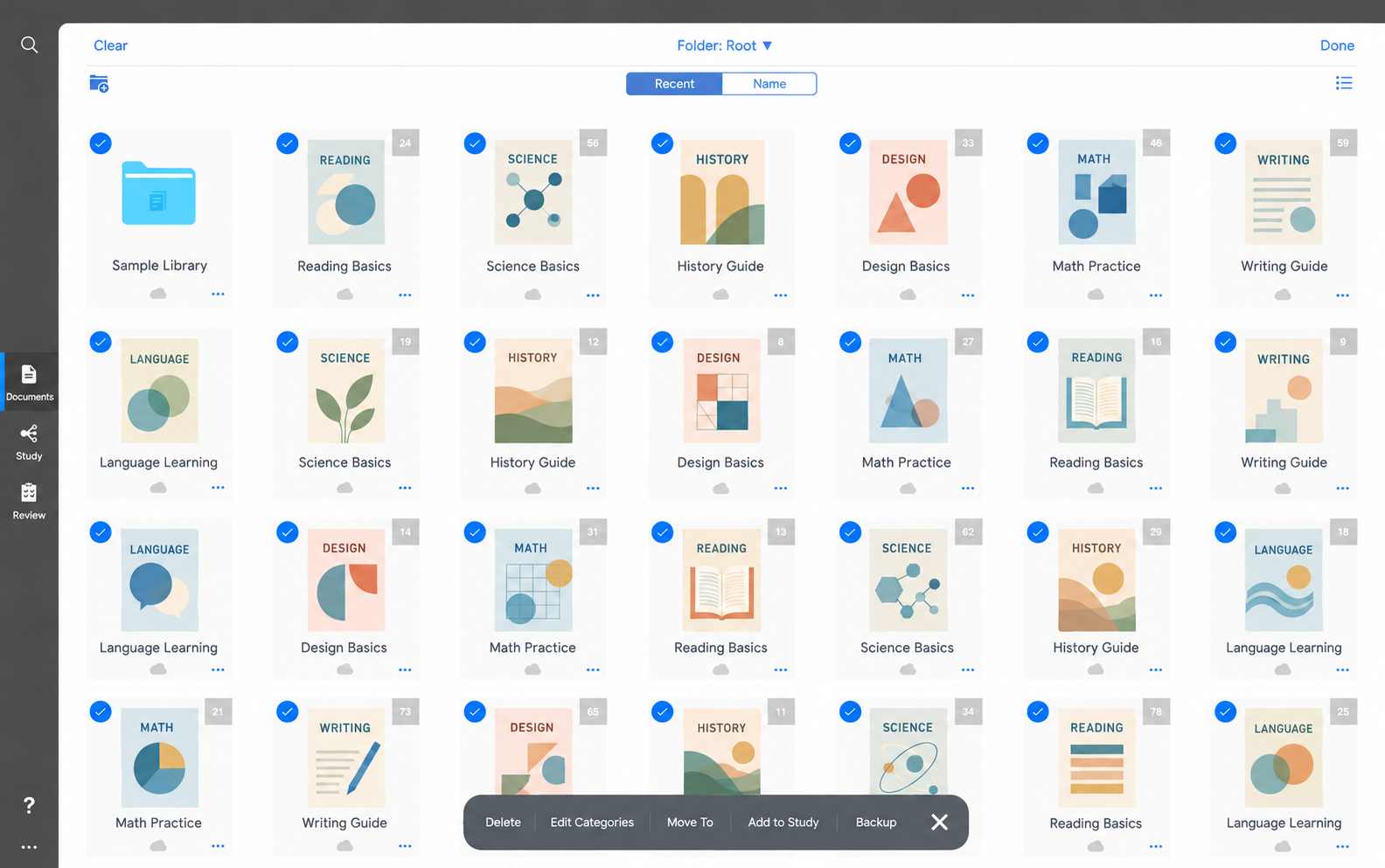
Open MarginNote and click Documents in the left sidebar. Enter selection mode and choose Select All to include the documents you want to transfer. Check any other folders so that no intended book is left out. The blue checkmarks in the illustration show selected documents.
Click Backup and export .marginpkg
Click Backup in the bottom action bar. Wait for MarginNote to prepare the package, then save the exported .marginpkg file somewhere easy to find. Reading-Sample.marginpkg is a fictional filename example. Use your own exported file and keep its .marginpkg extension; do not rename a PDF to this extension.
Import the backup into MindNote
Open MindNote, click Import, and select the .marginpkg file you saved from MarginNote. Wait for the import to finish. A package can contain several books: you do not need to upload each PDF separately when those source files are included in the backup.
Check your books and mind maps
Open the imported books in MindNote and inspect their corresponding mind maps. Check a few excerpts, personal notes and branches against your original work. Read the import summary for skipped items or files that failed. MindNote organizes the imported work by book; review the result rather than assuming every MarginNote layout or cross-book relationship is reproduced identically.
Which MarginNote books and mind maps are included?
The import uses the supported books and reading notes contained in the backup, including PDF and EPUB source files. Selecting all intended documents before backing up is how you include your complete collection. A PDF exported on its own does not contain the MarginNote note database. Button names and locations can vary between MarginNote versions.
Why are some books or notes missing?
Check the documents selected during the MarginNote backup and look for materials in other folders. Confirm you selected the correct .marginpkg file and waited for the import to finish. Review any skipped-item or failed-file notice before retrying the affected materials. Keep the original backup for comparison.
MindNote is an independent product, not affiliated with MarginNote. Platform information was checked on 10 October 2026; consult the official sources for updates.